A read-only, verified base
The root filesystem is read-only and protected by Linux dm-verity. Every block is checked against a signed hash tree. If anything has changed, the system will not boot it.
Subgraph OS · Montréal
An operating system that keeps your work, and your agents, apart.
The new Subgraph OS is built on Citadel, a read-only base system that is checked at every boot. Your applications and data live in realms, separate partitions for work, personal use, development or AI agents.
Subgraph OS · Montréal
An operating system that keeps your work, and your agents, apart.
The new Subgraph OS is built on Citadel, a read-only base system that is checked at every boot. Your applications and data live in realms, separate partitions for work, personal use, development or AI agents.
Subgraph OS · Montréal
An operating system that keeps your work, and your agents, apart.
The new Subgraph OS is built on Citadel, a read-only base system that is checked at every boot. Your applications and data live in realms, separate partitions for work, personal use, development or AI agents.
Subgraph OS · Montréal
An operating system that keeps your work, and your agents, apart.
The new Subgraph OS is built on Citadel, a read-only base system that is checked at every boot. Your applications and data live in realms, separate partitions for work, personal use, development or AI agents.
Subgraph OS · Montréal
An operating system that keeps your work, and your agents, apart.
The new Subgraph OS is built on Citadel, a read-only base system that is checked at every boot. Your applications and data live in realms, separate partitions for work, personal use, development or AI agents.
Subgraph OS · Montréal
An operating system that keeps your work, and your agents, apart.
The new Subgraph OS is built on Citadel, a read-only base system that is checked at every boot. Your applications and data live in realms, separate partitions for work, personal use, development or AI agents.
Subgraph OS · Montréal
An operating system that keeps your work, and your agents, apart.
The new Subgraph OS is built on Citadel, a read-only base system that is checked at every boot. Your applications and data live in realms, separate partitions for work, personal use, development or AI agents.
Every program runs as you and can read every file. A client project, your personal email and a tool you tried once all share the same account. Any of them can open your SSH keys or your browser's saved passwords.
Software gets installed for a project and never removed. Patches get missed. A backdoored package can stay trusted long after anyone remembers where it came from. Most organizations deal with this by buying a second computer, or by writing a policy.
In Subgraph OS, the base system, Citadel, is small, verified at boot and only changes when you install a signed update. Your applications and data are split into realms, and a problem in one realm stays there.
A realm is a partition of the system with its own applications and data. You decide how many you need and what goes in each. Here is a typical setup.
Email, documents and client files. Your SSH keys and password manager can live here and nowhere else.
Your own browsing, banking and accounts, kept away from work data.
Compilers, package managers and dependencies from the internet. If a package turns out to be malicious, it is stuck in this realm.
AI agents get their own realm with only the files you copy in. They cannot read the SSH keys in Work, because those files are not there.
Install anything you want to try. Your main system stays clean, and you can delete the realm when you are done.
An AI agent acts on your behalf. It can read your files, use your passwords and keys, and talk to outside services, often without anyone watching each step.
An agent can be steered by text it reads. The model behind it cannot be inspected, and it often runs on someone else's servers. Desktop operating systems assume one trusted person at the keyboard, so they have no way to give an agent access to some of your files and not others.
The root filesystem is read-only and protected by Linux dm-verity. Every block is checked against a signed hash tree. If anything has changed, the system will not boot it.
Applications never run in the base OS. They run in realms: separate partitions, each with its own applications, files and network. If one is compromised, the attacker does not get into the others.
Use lightweight container realms for everyday work, and full KVM virtual machines for untrusted software, malware analysis or AI agents that need a harder boundary.
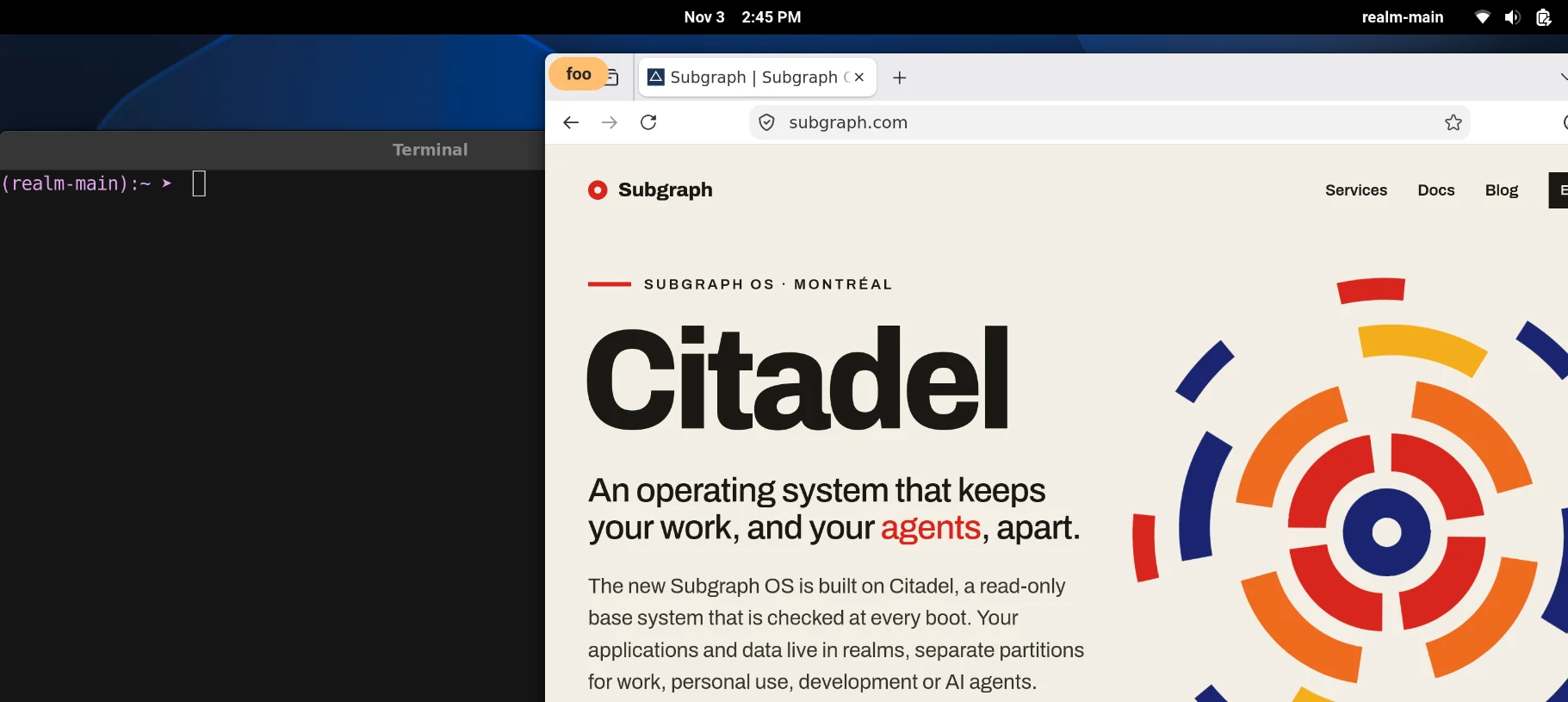
Windows from different realms share a single GNOME desktop. Each one is labelled with the name of its realm.
The base system ships as one signed image. An update is either applied completely or not at all, and you can roll back to the previous version.
Citadel builds reproducibly from source. Anyone can rebuild an image and check that it matches ours byte for byte.
The base system does not change. The isolation layer keeps realms apart. Your applications and files sit in the realms on top.
Kernel, init, graphics and the desktop shell. It holds no user applications and no user data. Mounted read-only and verified with dm-verity at every boot.
Container realms use Linux namespaces and run at close to native speed. A realm that needs more isolation can run as a virtual machine under pH, our KVM hypervisor written in Rust.
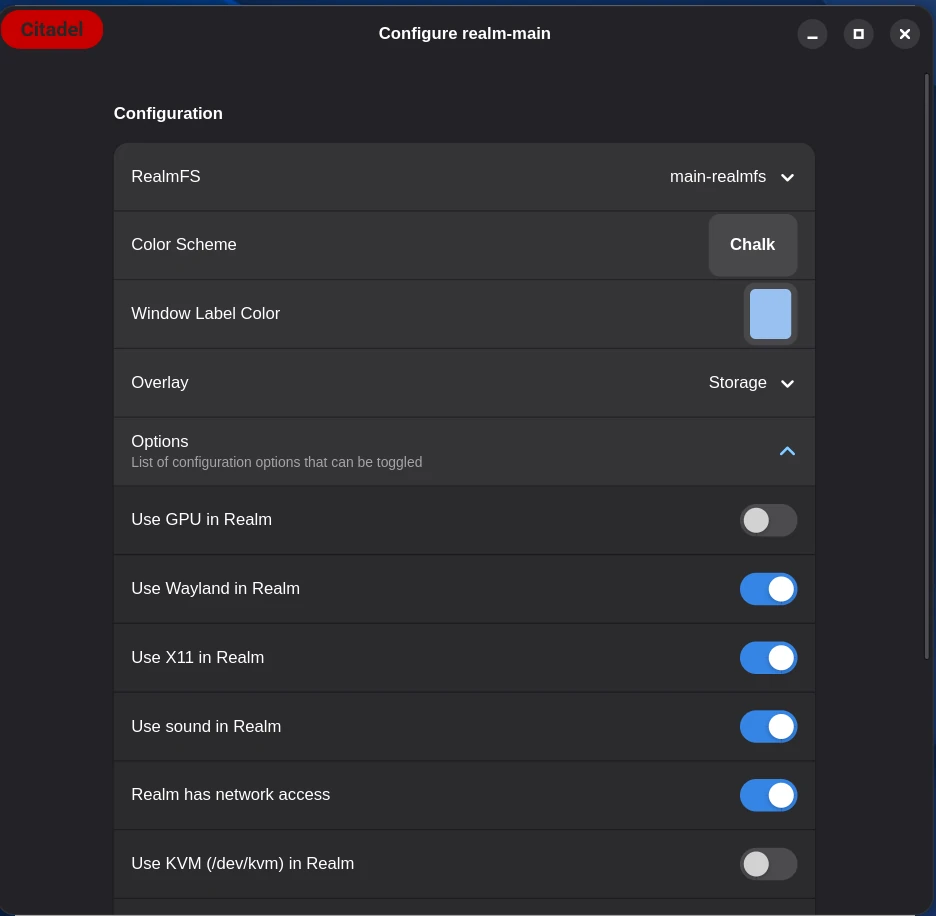
For example work, personal, development, agents and a scratch realm. Each realm sees only its own data. Its root filesystem is a signed image, and only your home directory is kept between sessions.
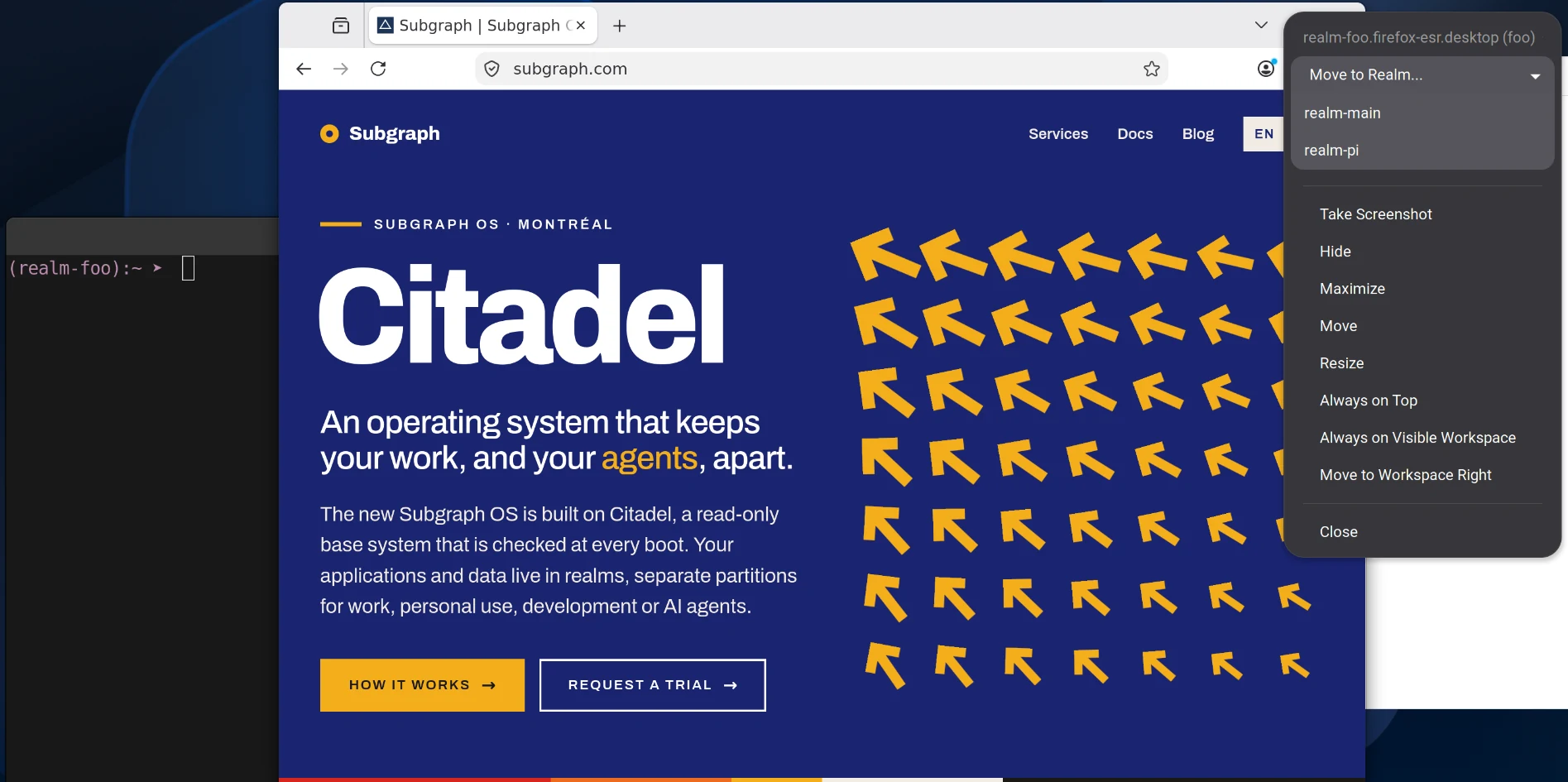
Subgraph OS uses the GNOME desktop. Windows from different realms share one screen, including apps running inside pH virtual machines. The coloured label on each window shows which realm it belongs to.
Subgraph OS is for people who need to keep some of their work separate from the rest.
Work at different classification levels on one computer, each in its own realm.
A verifiable workstation that can be restored to a known state, without depending on foreign cloud services.
Put agents in their own realm and limit what they can read, change or send.
Open malware and untrusted samples inside a virtual machine that the rest of the system never sees.
Separate client projects, build tools and production credentials, so one bad dependency cannot reach everything.
Keep source material and contacts in a realm that your browser and email cannot reach.
Subgraph OS is in active internal use and approaching release. Details may change before general availability.
Conçu à Montréal · Made in Montreal
Subgraph has spent more than a decade on vulnerability research and penetration testing. We audit software for the Open Technology Fund's Security Lab and created Vega, an open-source web security scanner used by tens of thousands of people. Subgraph OS is designed and built here, and it runs without any cloud service.
Pre-release
Subgraph OS is not yet available for download. Check back soon.
Development notes, audit methods and design decisions.
The steps Subgraph follows when auditing software for the Open Technology Fund Security Lab.
Read more March 22, 2025A reproducible build lets anyone rebuild a release from source and compare hashes with the published binaries. This post explains how that works and what Citadel will publish to support it.
Read more January 15, 2025Citadel is the base system of Subgraph OS. Its root filesystem is read-only and verified with dm-verity. Applications run in separate realms.
Read moreEmail us about a Subgraph OS trial or a security audit.
info@subgraph.com